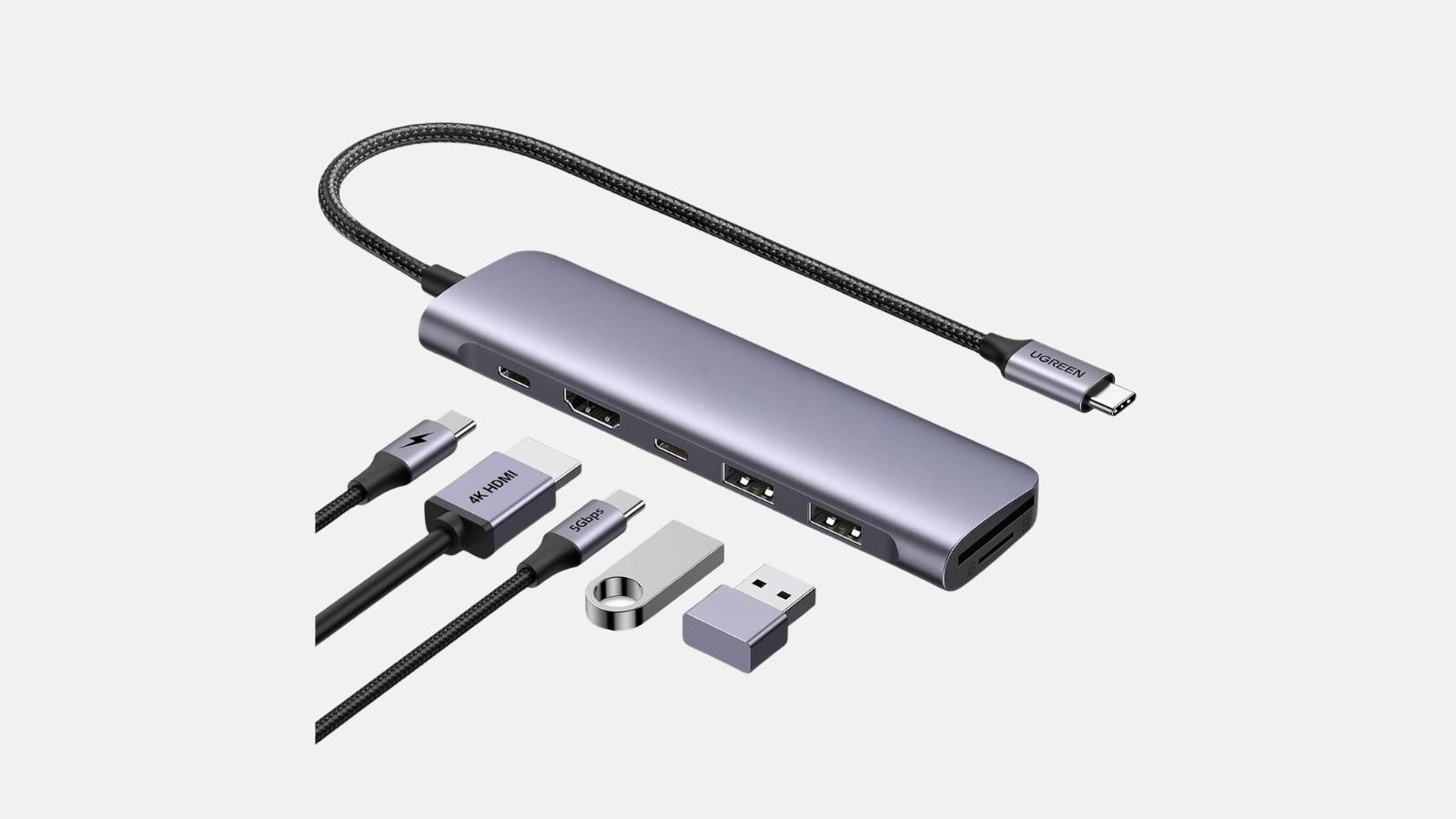

✓ USB-C / Thunderbolt to HDMI ✓ 4K Ultra HD ✓ Plug-and-play | For MacBook, Windows laptop, iPad Pro, and USB-C smartphones.
The USB-C to HDMI adapter is the essential link between modern laptops, MacBooks, tablets, or smartphones with a USB-C port and any HDMI-enabled projector, TV, or monitor. The adapter transmits both image and sound in 4K Ultra HD without the need for driver installation or an external power supply—simply plug it in and start your presentation, movie, or conference.
Included in the box
Typical applications
Technical highlights
Note: Your device must support USB-C with DisplayPort Alt Mode. This is standard on modern MacBooks, iPad Pros, and most Windows ultrabooks. When you rent from Renty, you get the USB-C to HDMI adapter with no deposit and full insurance coverage.
| Rental period | Price per day | Total price |
|---|---|---|
| 1 day |
per day
|
|
| 2 days |
per day
|
|
| 3 days |
per day
|
|
| 4 days |
per day
|
|
| 5 days |
per day
|
|
| 6 days |
per day
|
|
| 7 days |
per day
|
Does the adapter work with my MacBook?
Yes, the USB-C to HDMI adapter works with all MacBook models featuring a USB-C or Thunderbolt port.
This applies to all MacBook Air models from 2018 onwards, all MacBook Pro models from 2016 onwards, and all modern iMacs. There is no need to install or set anything up; simply plug the adapter into the USB-C port, connect the HDMI cable to the projector or TV, and macOS will automatically detect the external display.
What resolution can the adapter transmit?
The adapter transmits up to 4K Ultra HD (3840 x 2160 pixels) at 30 Hz.
This is more than enough for presentations, movies, and conferences. Full HD (1080p) at 60 Hz is also supported, which is ideal for videos and gaming. Audio is transmitted along with the image, so you don't need an additional audio cable.
Do I need a driver or software?
No, the adapter is 100% plug-and-play.
You don't need any drivers or software for macOS, Windows, iPadOS, or Android. As soon as you plug in the adapter, the operating system automatically detects the external display. No extra power supply is required either, as it draws power directly from the USB-C port.
Does the adapter also work with an iPad Pro or smartphone?
Yes, it works with all iPad Pro models with USB-C and many Android smartphones that support DisplayPort Alt Mode.
The iPad Pro automatically mirrors its screen to the external HDMI display. For Android, it is best to check your device specifications to see if it supports DisplayPort over USB-C or DP Alt Mode; this is the case for the Samsung Galaxy S series, Google Pixel, and many others.
When do I need this adapter?
Whenever your laptop, tablet, or smartphone only has a USB-C port and no HDMI port.
This applies to virtually all modern MacBooks (2016 and later), many new Windows ultrabooks, iPad Pros, and smartphones. If you have a projector or TV in your booking and your device lacks HDMI, this adapter is a must.
What is included in the rental?
You will receive a ready-to-use USB-C to HDMI adapter.
The HDMI cable itself is typically already included with your projector or TV booking. If you only need the adapter (e.g., because you have your own HDMI cable), you can also rent it as a standalone item.
Wo möchtest du das Produkt mieten?
Wir haben dir eine Mail geschickt, bitte bestätige sie um den Rabattcode zu erhalten.
Where would you like to rent this product?