


Renty rents out conference and meeting equipment, ranging from adapters starting at €6.90 to complete packages for 160 participants. We provide lecterns, conference cameras, pinboards, presenters, and all the necessary signal technology. You can book online and pick up your equipment for free, or have it delivered and set up for you.

When it comes to conference technology, people rarely look for a single device, but rather the entire chain from the laptop to the last seat in the hall. It consists of four parts: the image, the sound, the writing surface, and the signal transmission in between. If one link breaks, the event comes to a halt. It most often breaks at the most inconspicuous part: the adapter between the laptop and the cable.
This category covers two of the four parts completely: signal transmission and moderation. This ranges from €6.90 for the USB-C adapter to presenters, splitters, and wireless systems, all the way to a lectern with its own screen. Image and sound have their own pages with their own prices because projection and sound reinforcement depend on different dimensions than cables and cards.

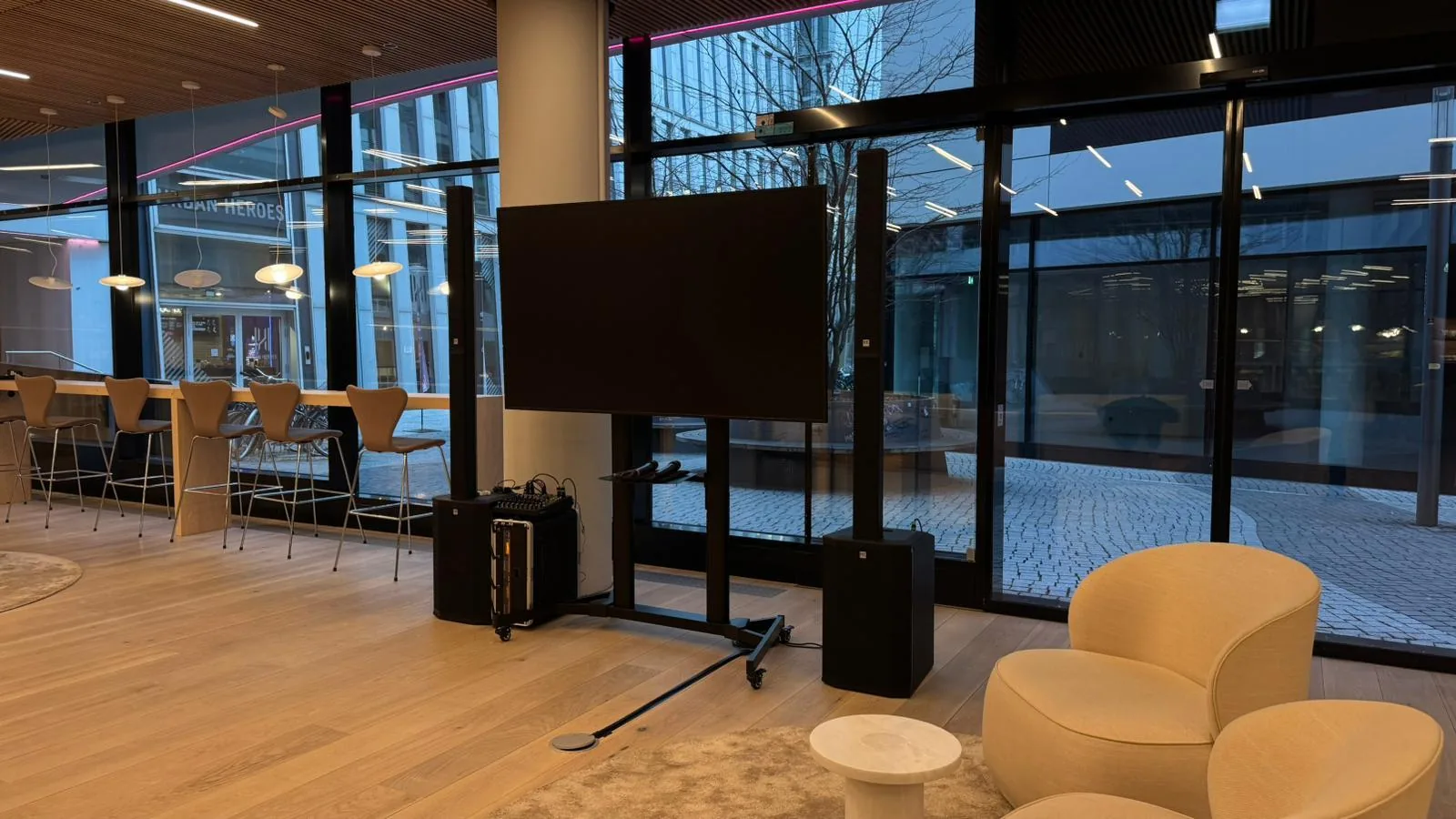


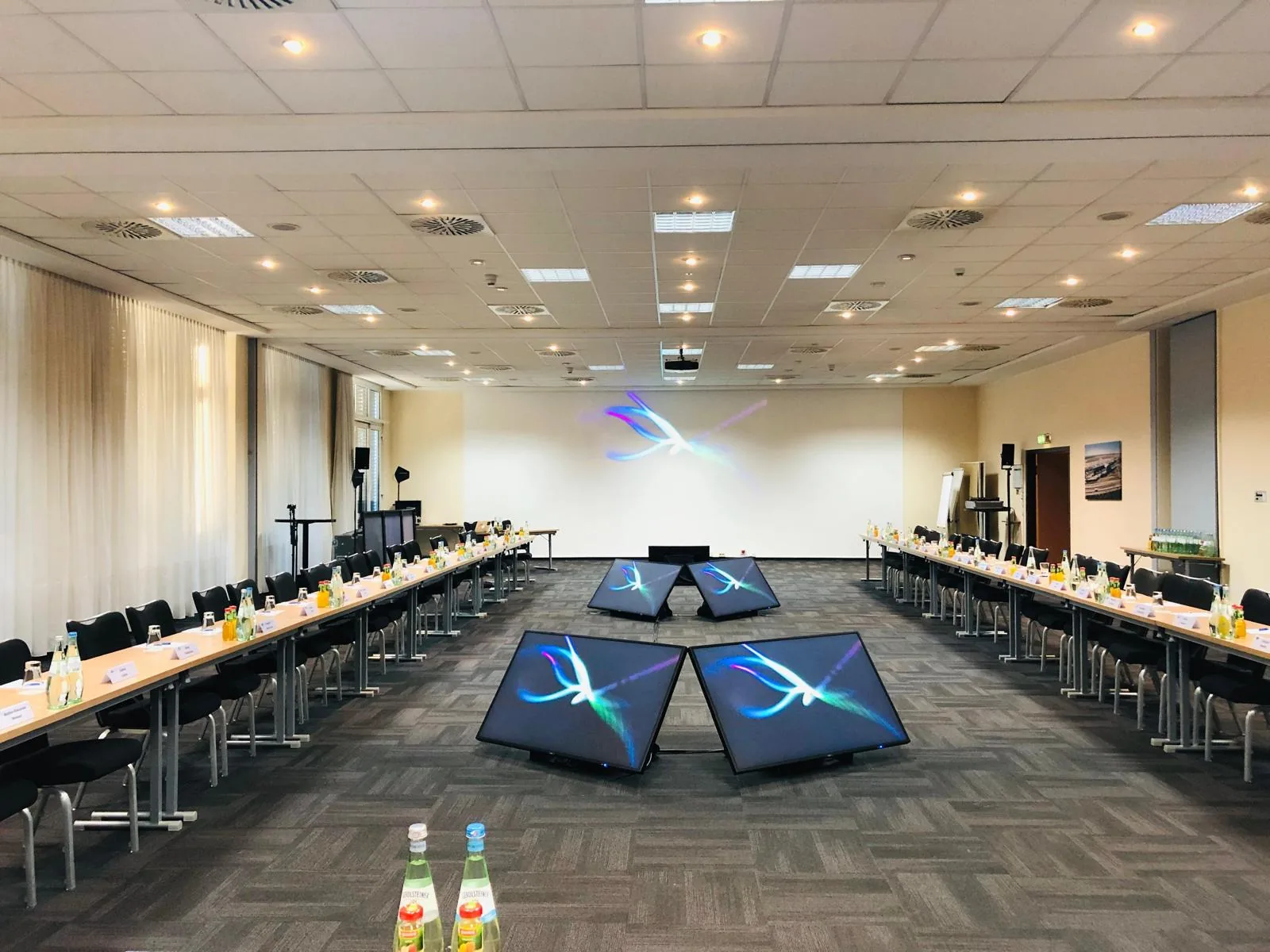

Three questions, and then it is clear which equipment suits your group, format, and the existing inventory at the venue. The selection in the catalog will then show you what is available for your date.
As soon as there are more than about thirty people in the room, a normal voice will no longer carry to the back. For a speech, a wireless system is sufficient, either as a handheld transmitter at the lectern or as a lapel microphone if the speaker is moving around. Both are available in the selection of microphones with their own prices.
The second scenario is regularly forgotten: the discussion. No one in the twelfth row can hear a question, not even the speaker at the lectern. This requires a second microphone that is passed through the rows. Otherwise, the moderator has to repeat every question, which noticeably wastes time during a Q&A session.
For the sound at the speaker's position itself, the setup helps: A lectern gives the speaker a fixed distance from the microphone. A fixed distance is half the battle for consistent volume. How sound and image come together at a corporate event is summarized there.

Lectern, projector, screen, whiteboards, pinboard, microphone, and microphone stand. These devices are part of the basic equipment for conferences.
A ready-made set saves you from having to make decisions, while individual items save you money. The line is drawn at whether or not you know the room. If you are entering the location for the first time and don't know which connections are available, you are better off with a set because it already includes the necessary connectors. This is the lowest-risk solution. If you know the room, you can book specifically and only pay for what you are missing.
The table is sorted by the number of participants rather than package names, because the size of the group determines what is needed. Prices listed there are only for items in this category. You can find projection equipment under Projectors and as a set with a screen; all media categories are listed under Media Technology. For a seminar with a fixed schedule, it is worth taking a look at the overview for Seminars.
Renting conference technology starts at €6.90 per day. This applies to the USB-C adapter, which is available at all locations. The wireless presenter costs €9.90, splitters and wireless systems are €14.90 each, and moderation materials range between €17.90 and €34.90. Conference cameras cost €79.90 and €114.90, the lectern with a screen is €179, and the complete conference package is €669. From the second day on, you only pay 15% of the base price, so three days do not cost three times as much.
The rental price includes accessories and all-risk insurance. Self-collection is free of charge; delivery with setup, dismantling, and on-site support costs €59 per hour or part thereof. There is no security deposit. What this category deliberately does not cover: interpretation equipment, simultaneous interpretation systems, and voting systems. If you need those, you are better off with a specialized service provider.
| Artikel | Bild | 1 Tag | 3 Tage |
|---|---|---|---|
| USB-C auf HDMI Adapter |  | € 6,90 | € 8,97 |
| Logitech Presenter |  | € 9,90 | € 12,87 |
| Rednerpult mit Bildschirm |  | € 179 | € 232,70 |
| Moderations-Paket |  | € 89 | € 115,70 |
| Konferenz Komplettpaket |  | € 669 | € 869,70 |
You pick up the equipment from the location in your city and set it up yourself. Everything is prepared for plug-and-play, and there is a video tutorial for every device.

We bring the equipment to your venue and pick it up again after the event. You can handle the connection and setup yourself; every device is prepared for it.
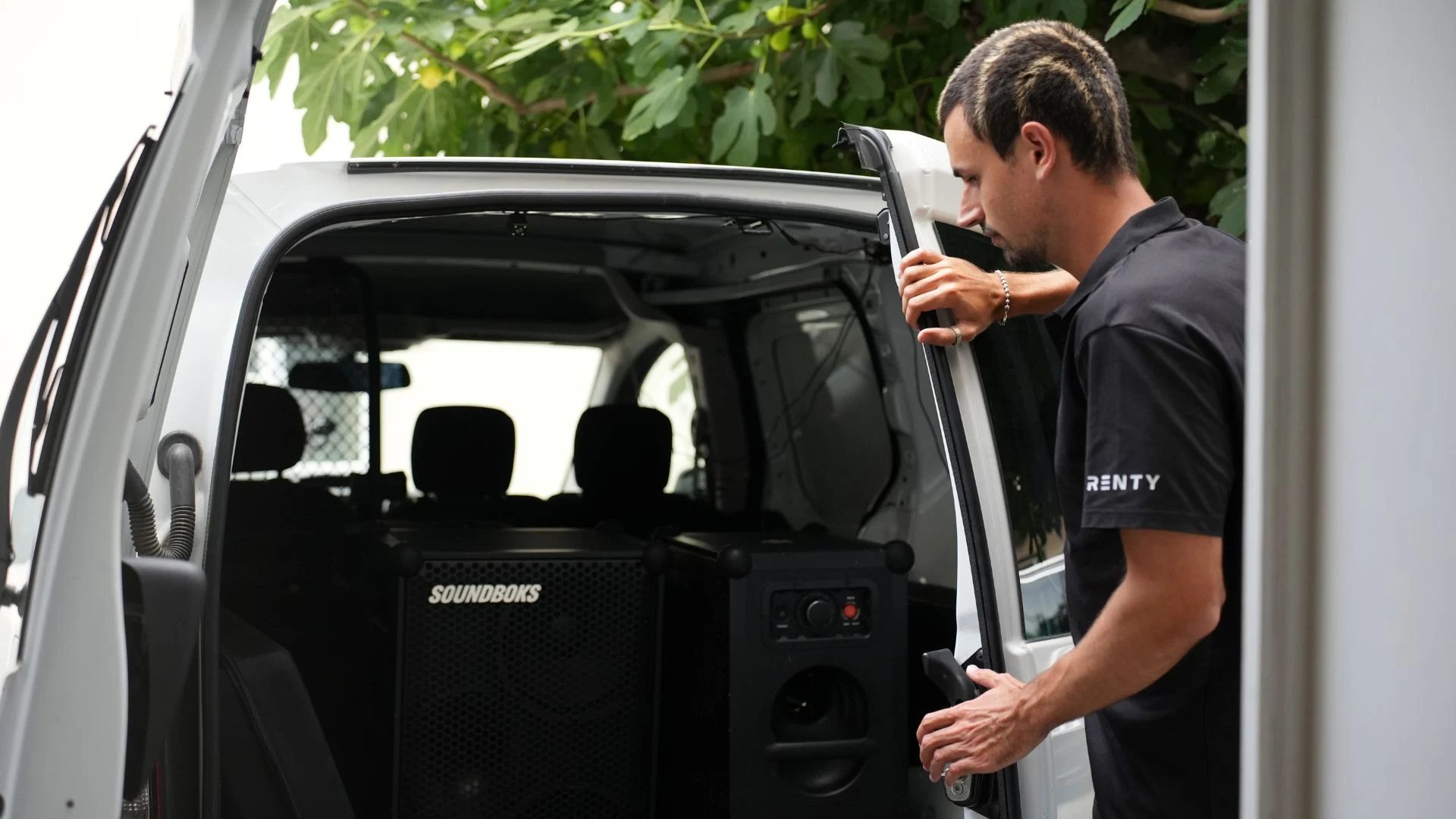
We set up the equipment on-site, handle the cabling, configure the sound and lighting, and dismantle everything after the event. You receive a fully configured system ready to go.

A technician stays on-site during the event, responds to changes in the schedule, and handles the teardown afterward. The safest option for speeches and presentations.

Enter your city and date in the catalog above to see what is available.
Select your equipment and set the rental days; the price is displayed immediately.
Book online, with no deposit and no need for email inquiries.
Pick up with a briefing or have it delivered and set up for you.
Describe your event and we will suggest the right equipment for you. Our consultation is free of charge.
Available daily from 8:00 AM to 10:00 PM.
How much does it cost to rent conference technology?
What is included in conference technology?
Can I get an invoice made out to my company?
How is VAT handled for bookings from another EU country?
Can I rent conference technology for just one day?
What is the difference between a conference and a congress?
Is there a dedicated contact person for corporate clients?
Does someone set up the equipment on-site?
Do you provide interpretation equipment or voting systems?
There is no practical difference between conference technology and meeting technology. Both refer to the equipment for an event, charged at a daily rate. Whether you call it renting or hiring makes no difference either: you pay a rental fee, which includes insurance, accessories, and an on-site contact person.
The rental process is straightforward: book online, pick up for free or have it delivered, and return it after the conference. All items are available without a security deposit, and no email inquiry is necessary. Our service includes delivery, setup, and on-site support, which costs €59 per hour or part thereof.
Our rental service serves companies, associations, universities, and clubs. Typical formats include annual meetings, general assemblies, seminars, training sessions, internal workshops, press conferences, and trade fair appearances. For each of these, the workflow in the room matters more than the occasion itself: If there is a presentation to the front, signal distribution is key. If group work is involved, writing surfaces are essential. If some participants are joining remotely, video technology is added. On this basis, any event setup can be configured, regardless of the content being presented.
The range includes presenters, adapters, and splitters for signal distribution, two conference cameras and a video switcher for hybrid formats, pinboards and moderation kits for group work, as well as a lectern with its own screen, plus two ready-to-use sets. Companies that regularly rent conference technology usually book the same setup, which saves time on coordination for future events. What is intentionally missing is interpretation equipment, simultaneous interpretation booths, and voting systems, as these are specialized trades requiring their own personnel.
Renting conference technology is a subset of event technology. Media technology also includes projection and screens, while audio technology covers sound systems, PA systems, and microphones, plus lighting, stage equipment, and LED walls for large areas. Each of these categories has its own pricing, as the selection is based on different requirements. If you are looking for presentation technology, you are in the right place: in practice, the term means the same thing—everything that sits between the laptop and the audience. Support is available daily via phone and WhatsApp, and for questions regarding collaboration across multiple events, we can also provide a dedicated contact.
Regarding availability: Not all items are located in the same city. Presenters and adapters are available at all 28 locations, while moderation materials and lecterns are only at select ones. The catalog shows which items are available in your city as soon as you enter your location. If nothing is available there, neighboring locations will supply them. Because conference dates are set well in advance and stock levels for each item are limited, booking early is more worthwhile here than in any other category.
Conferences and other corporate events follow different rules than private functions. The date is set months in advance, the schedule is tightly timed, and someone in accounting needs to process the invoice. Four factors make all the difference.
At each of the 28 locations, there is a local contact person who knows the inventory, the routes, and the city's common venues. For recurring appointments, you will have the same contact, so you don't have to explain your setup every year. Available daily from 8:00 AM to 10:00 PM, by phone and via WhatsApp.
Prices and availability are online, and booking is immediately binding. This saves you the usual cycle of inquiries, follow-up questions, and quotes, which can easily eat up two weeks for conference dates. If you still need a formal quote for approval, you can get one.
Planning a conference rarely fails because of the equipment, but often because of the room. Your contact person knows the common locations in their city from experience and can tell you in advance where the power outlets are and how long the distances are. This advice is free and saves you from having to make a second attempt on the day of the event.
Conference dates rarely change. That is exactly why booking early is more important than for a private party: there is only one of each lectern and complete set available. If two companies target the same trade fair Tuesday, the order of booking decides who gets the equipment.
Bookings include an order confirmation and an invoice with VAT shown, both as PDFs. There is no security deposit that needs to be refunded later. This saves you from having to explain to your accounting department why an amount was deducted and then returned weeks later.
The room itself plays a role. A lectern requires about one square meter of floor space and a nearby power outlet to supply the display. On stages, you also have to consider whether the cable can be laid neatly, as a tripping hazard in front of an audience is noticeable. A pinboard can be used on both sides, making it suitable for two groups at once; it just needs clear wall space to display the results.
The second room-related question arises as soon as someone joins remotely. A conference camera belongs at the eye level of those seated—on the table or below the screen, not on the ceiling. It needs a clear view of the group and a location where the USB cable can reach the laptop. Backlighting is the most common mistake: if the group sits in front of a window, their faces will remain dark, no matter how good the camera is.
The most common technical glitch with external feeds is simple: the laptop only has USB-C, but the socket in the room requires HDMI. That is why an adapter is available at all 28 locations and should be included in every booking, even if the speaker claims they have everything they need.
Since conferences have become regularly hybrid, the technology for remote participants must be added to the equipment in the room. Four factors determine whether the guests in front of the screen will have a good experience.
As soon as more than one image source is involved, the camera alone is not enough. A video switcher takes up to four HDMI sources and switches between what is currently being displayed: slides, camera, or external feeds. The ATEM Mini Pro streams directly to popular platforms while simultaneously recording to a USB drive.
The Logitech MeetUp costs €114.90 per day and, with its 120-degree field of view, covers seats right next to the camera, plus it features motorized tilt and three microphones. The more affordable camera at €79.90 automatically zooms in on the person speaking. Both connect to a laptop via USB and are recognized by Zoom, Teams, or Meet without the need for drivers.
Remote participants might forgive a mediocre image, but they will tune out after ten minutes if the audio is poor. A laptop's built-in microphone picks up the entire environment, including ventilation and shifting chairs. For a hybrid meeting, a microphone should therefore be placed near the speaker, not in the middle of the table.
Permanently installed conference systems with ceiling microphones and table units are not part of our offering, as they are mounted into the room and are not portable. The video technology here is mobile and can be dismantled in just a few minutes. For streaming from a permanently equipped hall, the in-house technical team is the better option.
If a camera with an SDI output is involved, it won't connect directly to an HDMI input. A cross-converter converts in both directions and also adjusts for differing frame rates. This is the piece of equipment no one plans for, but which saves the event on-site.
All prices in the catalog and tables are gross prices including VAT, ensuring that both private individuals and companies see the same figure. The invoice will show the net amount, the tax rate, and the tax separately. For corporate clients, this is the crucial point, as the stated tax is deductible as input tax. You can enter your company name, address, and VAT identification number during the booking process.
For corporate clients from other EU countries, invoices can be issued excluding VAT if a valid VAT ID is provided. The tax liability then shifts to the recipient, known as the reverse-charge procedure. Whether this applies to your booking depends on the company's registered office and the place of service, which will be clarified before confirmation. Please provide your VAT ID during your initial inquiry so the invoice is correct from the start.
For approval in larger organizations, we can provide a formal quote prior to booking upon request. Order confirmations and invoices are sent as PDFs, and no security deposit is required. This keeps your accounting process streamlined into a single transaction.
Everything a training day requires, from seating arrangements to multi-room workflows.
Wireless systems, lavalier microphones, and handheld transmitters with individual pricing.
From the reception to the evening program, with all the necessary equipment.
An overview of all audio technology categories, from microphones to complete packages: Audio Technology
Find the right conference technology for your location

Wir haben dir eine Mail geschickt, bitte bestätige sie um den Rabattcode zu erhalten.


