The basic equipment for a workshop consists of a moderator kit, flipchart or whiteboard, projector, and a way to document results. Everything else depends on the method and group size. Here are the checklists for materials, technology, room, and catering, categorized by in-person, online, and hybrid formats.

To professionally prepare a productive workshop, you absolutely need a complete set of materials, including plenty of sticky notes, large flipcharts, and various markers for analog visualization. For the technical infrastructure in the meeting room, plan for a high-brightness projector, stable Wi-Fi connections, reliable wireless microphones, and enough power strips with the appropriate adapters. For creative design thinking sessions, supplement your setup with special maker boxes containing craft materials and ensure sustained energy levels with light, protein-rich snacks. This guide provides you with the ultimate checklists for moderation materials and technology so you can conduct classic in-person events or demanding hybrid formats completely error-free.
Half of all problems that arise in practice can be traced directly back to poor preparation: empty pens, a missing adapter for the projector, or simply not enough sticky notes for everyone present. However, those who prepare their event thoroughly eliminate these annoying distractions immediately and can focus entirely on what really matters in the end: the actual content of the session. This article provides you with the complete overview of the necessary accessories, optimal technology, and ideal room infrastructure for training sessions, strategy meetings, and creative formats.
👉 If you are currently deep in the planning phase, feel free to check out our comprehensive Guide to Workshop Planning.
Material planning depends on four factors: workshop type, group size, venue, and budget. A brainstorming session with 8 people requires different materials than a prototyping workshop with 25 participants. Hybrid formats combine physical materials with digital tools and increase the coordination effort.
Clarify before ordering: Define the goals and methods of the workshop (design thinking, strategy workshop, innovation sprint). Determine the number of participants and the number of teams. Visit the venue and check the on-site technology. Document the budget for materials, technology, and catering. Check delivery times, especially for specialized materials. Appoint people responsible for ordering, transport, and setup. Set the date of the workshop early so that all orders and bookings can be processed in time.
A complete list of all tasks with deadlines ensures that nothing is missing on the day of the workshop. Assign a person responsible for each task and plan a backup contact for any delivery issues.
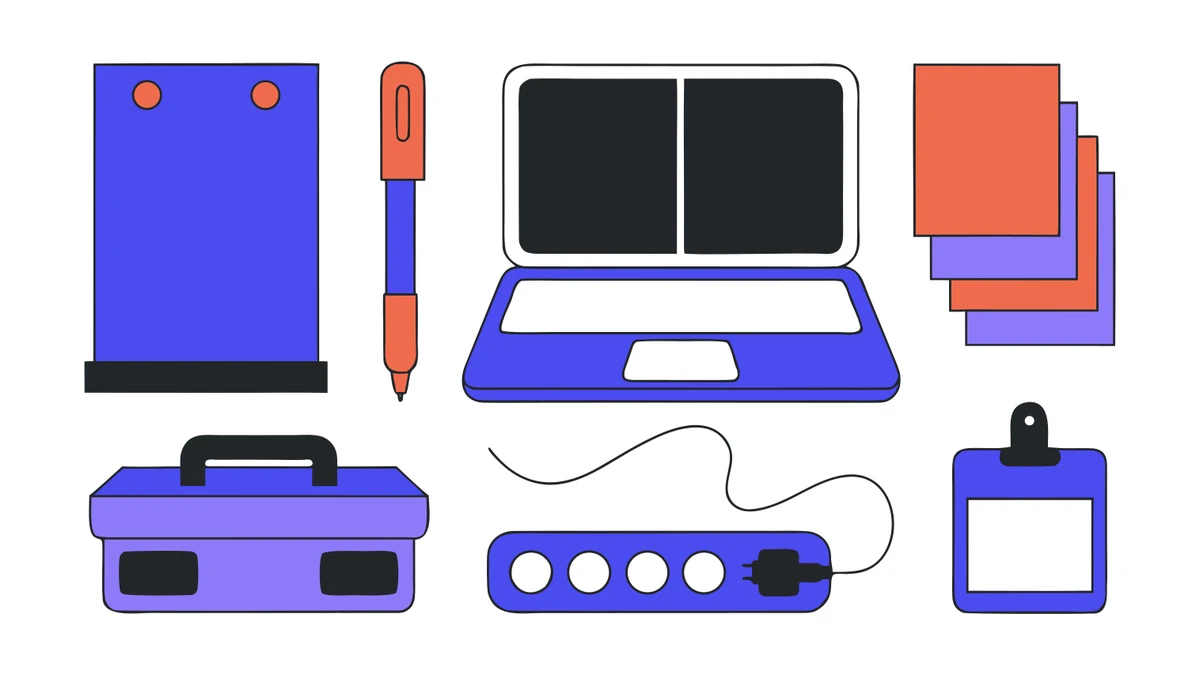
Moderation material is the backbone of every workshop. Group work doesn't function without sticky notes, markers, and flipcharts. Here is the checklist for the basic equipment:
| Materials | Quantity (for 15-20 people) | Note |
|---|---|---|
|
📝
Sticky notesVarious colors & sizes
|
10-15 pads | Better too many than too few |
|
🖊️
MarkersVarious tip sizes
|
2-3 per person | Pack spare markers |
|
📋
Flipcharts
|
2-3 stands | Enough paper refill rolls |
|
📌
Pinboards with pins
|
2-4 units | For structured brainstorming |
|
🎨
Tape and adhesive dots
|
2-3 rolls each | For dot voting and mounting |
|
🧰
Facilitation kit
|
1 complete set | Contains cards, pens, scissors, glue |
|
🏷️
Name tags
|
1 per person | Makes collaboration easier in new groups |
|
📄
Templates and handouts
|
Depending on the method | Printed, not created on-site |
Flipcharts are the primary visualization tool for group work and brainstorming. Pinboards complement them for the structured collection and presentation of results. When it comes to markers, make sure you have different types on hand: fineliners for details, thick markers for flipcharts, and whiteboard markers in case there is a whiteboard in the room. Paper, as a versatile material for notes and creative tasks, should also be available in sufficient quantities.
Technology at the venue is the most common bottleneck. Many meeting rooms have a projector, but it is often too dim for rooms with daylight. A laptop's built-in microphone is insufficient when presenters are standing in front of a large group. And Wi-Fi often crashes as soon as 20 people access cloud tools simultaneously.
Internet and connectivity: Measure the bandwidth requirements for video conferencing and cloud tools in advance. For online participants, a stable connection is a fundamental requirement. Test the connection at the venue at least one day beforehand.
Presentation technology: Check screen resolution and adapter compatibility. Bring a high-brightness projector if the room has bright windows. For workshops with remote participants, you will also need a camera and a room microphone.
Power supply and electricity: Count the number of power outlets, plan for power strips and extension cords, and check the circuit load capacity. Especially in older meeting rooms, the existing outlets are often insufficient.
Backup technology: Spare laptop, spare microphone, spare speakers, and offline copies of all important materials and presentations. If the technology fails, the workshop must be able to continue regardless.
If you want to play it safe with technology: Projectors, wireless microphones, and portable speakers can be found in our selection of equipment for seminars and workshops. This is often cheaper than the surcharge venues charge for their own equipment.
The projector is the item on the list that is most frequently misplanned. The decisive factor is not the resolution, but whether the room can be darkened. Without blackout capabilities, you need significantly more lumens. Our projectors categorized by room size are sorted accordingly.
Between the moderator's kit and the projector lies the item most often missing: a surface for writing and pinning. Flipcharts, pinboards, and whiteboards are not interchangeable, as only the pinboard holds cards and only the flipchart is portable. The overview of presentation technology for workshops shows which is suitable for which method.

The layout of the room influences results more than most people think. Flexible furniture allows for quick group changes, while fixed seating limits collaboration. Light-colored walls and large surfaces serve as writing and pinning areas and improve the quality of visualization. Plan separate zones: an area for focused work and one for loud prototyping or presentations. The role of the room as a "third moderator" is often underestimated.
Catering: Light, protein-rich options prevent afternoon energy dips. Strategically planned breaks promote concentration and informal exchange. Coffee, water, and fruit as a base, with lunch for full-day workshops. Ask about allergies and special dietary needs of participants in advance via email.
Logistics: Consider travel, parking, and storage space for materials when planning the venue. Send clear participant information in advance: packing tips, dress code, and technical requirements. This reduces questions on the day of the event.
For design thinking sessions, innovation sprints, and maker workshops, you need additional material. A small maker box with the most important materials is recommended for each team.
Prototyping basics: Cardboard, scissors, glue, modeling clay, craft wire, and various consumables. For hands-on workshops, add hot glue guns, screwdriver sets, and, if necessary, protective equipment (gloves, safety goggles).
Electronics basics: Power strips, spare cables, power banks, adapters, and chargers. Multimeters and small-format tools for technical projects.
Documentation: Cameras or smartphone setups for quick results capture. Labeling material and tags for prototypes. Presentation slides to document workshop results, which can be distributed to participants afterward.
Transport and organization: Sturdy boxes or cases with labels and an inventory list. This makes it easy to check materials and turns transport to the venue into a detail rather than a problem.
Material requirements vary significantly depending on the format. In-person workshops require physical prototyping materials, sufficient space, and all necessary equipment on-site. Participants benefit from direct interaction with the provided materials.
Online workshops reduce the need for physical materials but increase the demand for digital templates, tools, and facilitation aids. Platforms with whiteboard features, breakout rooms, and reaction tools replace flipcharts and sticky notes.
Hybrid formats are the most demanding. They require dual equipment: physical team kits on-site and parallel digital collaboration spaces. The cost structure shifts: shipping costs for participant kits in online and hybrid formats are a significant item that many overlook during planning.
After the workshop is before the next one. Update the inventory list and reorder consumables. Sort and digitize documentation and assign follow-up tasks to those responsible. Document the reuse and recycling of prototyping materials to reduce costs and waste in future workshops. Incorporate practical experience into the checklists for the next material workshop.
A quality check before every workshop day is part of the routine: check material functionality, completeness, and cleanliness. An emergency kit with replacement materials, first-aid supplies, and a contact list for venue technicians should always be within reach.
Are you planning a workshop and need not only the materials but also a roadmap for preparation and execution? You can find the complete guide in our workshop planning guide.
Which materials are essential for a successful workshop?
How can I ensure that the technology at the venue works?
What do I need to consider regarding room layout for workshops?
How does the material requirement differ between in-person, online, and hybrid workshops?
Why is the follow-up of materials after the workshop important?
How do I optimally plan catering for a workshop?
Check event equipment, book in 90 seconds, and choose pickup or delivery. Deposit-free and insured throughout Germany and Austria.

Wir haben dir eine Mail geschickt, bitte bestätige sie um den Rabattcode zu erhalten.