There are three ways to get sound for your outdoor cinema: jack, RCA, or HDMI via a receiver. Bluetooth is the only method that reliably causes lip-sync issues because the transmission delays the audio signal. Here, we compare wiring methods, the causes of lag, and the solutions for every setup.

To connect your projector to external speakers for the perfect outdoor cinema experience without delay, it is best to use a direct cable connection via a jack cable, RCA cable, or the HDMI ARC port. If you prefer a wireless outdoor cinema setup, you must ensure that both the projector and the Bluetooth speakers used support the aptX Low Latency codec to avoid asynchronous sound. This guide shows you in detail how to fix annoying latency issues immediately, which types of speakers are ideal for the garden, and how to make dialogue crystal clear even in wind and ambient noise.
The picture is set, the screen is up, and the movie starts. Then comes the big disappointment: tinny sound from the tiny built-in projector speaker that sounds more like an old kitchen radio. Or even worse: the lips on the screen are moving, but the sound follows half a second later. Good sound is just as crucial for an open-air home cinema as a razor-sharp image. To ensure your next movie night is a sonic success, you can rent powerful sound systems and active speakers from Renty easily and without a deposit.
Most projectors have built-in speakers with 2 to 10 watts. That is just enough for the living room, but not for the garden. Outdoors, there are no walls to reflect the sound. The audio disperses in all directions instead of being directed toward the audience. Dialogue becomes unclear, film scores lose their impact, and action scenes lack any bass.
The solution: External speakers that you aim specifically at the viewing area. With the right equipment, your outdoor cinema becomes an experience that can compete with a home theater. Plus, projector fans create a constant background hum. The further the speakers are from the projector, the less the fan noise will disturb your movie night.
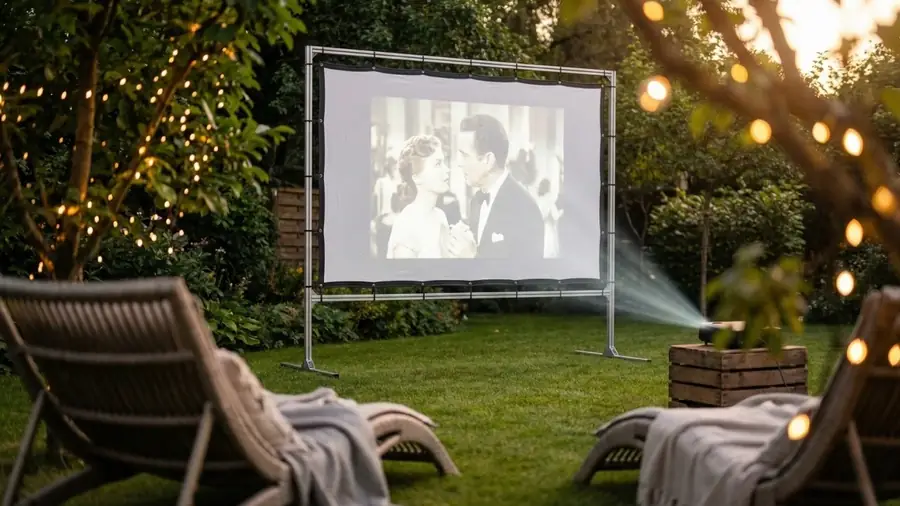
There are two ways to connect external speakers to your projector. Both have pros and cons.
| Connection | Pros | Cons |
|---|---|---|
|
🔌
Cables
3.5 mm jack, RCA, or HDMI ARC
|
No delay
Stable connection
Best sound
|
Requires cable runs in the garden
|
|
📡
Bluetooth
Wireless, ideal with aptX Low Latency
|
Wireless & flexible
Quick setup
|
Latency (audio delay)
Range issues possible
|
Wired: The most reliable solution for synchronized sound. Run a cable from the projector's audio output (3.5 mm jack or RCA) directly to active speakers or a soundbar. No delay, no connection drops. For setups with a Blu-ray or DVD player, the audio signal can also be routed directly from the player to an AV receiver, which then powers the speakers. This provides the best sound quality because the audio signal is not converted twice.
Bluetooth: Flexible and wireless, but with one catch: standard Bluetooth creates a delay of 100 to 300 milliseconds. That is enough to make the audio feel noticeably out of sync with the image. The solution is aptX Low Latency. This Bluetooth codec reduces latency to under 40 ms, which is barely perceptible. Requirement: Both the projector and the Bluetooth speakers must support aptX Low Latency. Check the model before purchasing.
HDMI as an audio solution: Many projectors have an HDMI port with ARC (Audio Return Channel). This allows you to connect a soundbar or audio system directly via HDMI. This is the most elegant solution because the image and sound travel through one cable and remain synchronized. If your projector does not have HDMI-ARC, a separate audio extractor that pulls the audio signal from the HDMI stream will help. Suitable sources for the movie include Blu-ray players, DVD players, laptops, or streaming sticks. For streaming services, you need a stable Wi-Fi connection in the garden. A Wi-Fi repeater solves range issues.
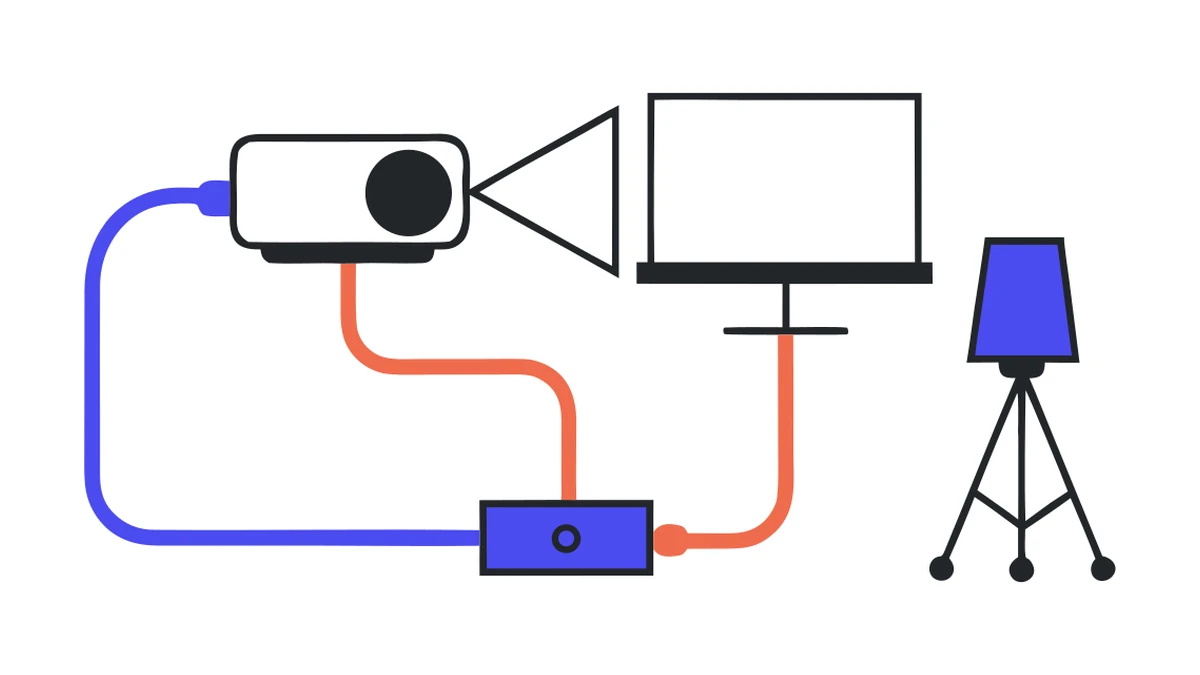
The most common problem with garden cinema: the sound comes after the image. The lips on the screen are moving, but the words follow with a delay. This ruins any movie experience.
Before you get the sound right, the image must be set up. You can find out what matters regarding size, height, and stability in the guide on setting up a projector screen in the garden.
Cause 1, Bluetooth latency: Standard Bluetooth processes the audio signal more slowly than the video signal. The solution: use aptX Low Latency or switch to cables. Every Bluetooth speaker without a low-latency codec has this problem.
Cause 2, internal image processing: Some projectors delay the image due to upscaling, HDR processing, or noise reduction. The sound then arrives before the image. The solution: activate gaming mode or reduce image processing in the projector's settings.
Cause 3, different signal paths: If the image and sound travel via different paths (e.g., image via HDMI to the projector, sound via Bluetooth to the speaker), different transit times occur. The solution: route both through the same signal path. Either use HDMI and ARC for everything or extract the audio directly from the player instead of the projector.
Correcting delay manually: Many AV receivers and some active speakers offer a manual delay setting in their menus. This allows you to delay or advance the audio by a few milliseconds until it is synchronized with the image. Test this with a scene where someone is speaking and adjust accordingly. Firmware updates for projectors, speakers, and streaming sticks reduce known latency or compatibility errors. If you still can't get it to work, you can often find help in the community from movie fans who use the same model.
Active speakers: The simplest solution. The amplifier is built-in, so you only need a cable from the projector to the speaker. For movie nights with 5 to 15 people in the garden, a pair of compact active speakers is sufficient.
Soundbar: Space-saving and easy to set up. Connect to the projector via HDMI, jack, or Bluetooth. Provides better sound than the projector, but less immersion than separate speakers. A practical solution for an open-air cinema with a manageable number of guests.
PA speakers: For larger open-air movie nights with 20 or more viewers. More volume, more bass, more range. In combination with a subwoofer, they also cover action movie soundtracks without distorting. If you don't want to buy the equipment: PA speakers and Soundboks systems can also be rented for a movie night.
Bluetooth speakers: Maximum flexibility in setup, but only useful for movies with aptX Low Latency. Without this codec, the sound-image problem persists. A good source for background music before and after the movie.
Placement in the garden: Position the speakers so that they form an equilateral triangle with the listening area, at ear level. Several smaller speakers distribute the sound more evenly than two very loud ones. Plants and hedges in the garden can serve as natural sound insulation for the neighbors. For optimal speech intelligibility, aim the speakers slightly downward toward the seating position. An equalizer that emphasizes speech frequencies (2 to 4 kHz) significantly improves dialogue clarity outdoors.
Be mindful of the neighbors regarding volume. In most regions, quiet hours apply from 10 p.m. Talk to your neighbors in advance and inform them about the planned movie night. Directional speakers and a conscious choice of volume level reduce sound propagation. Streetlights and other light sources not only impair the image on the screen but also the atmosphere. Turn off everything that doesn't belong to the cinema.
For movie fans who don't have their own garden: Open-air cinemas in many cities offer an alternative for movie nights under the stars with professional sound and image. The dream of an open-air cinema can also be realized without your own equipment.
Weather protection and maintenance: Projectors and speakers are sensitive pieces of technology. IP-certified speakers can withstand light rain, but the projector belongs under a roof. Protective housings extend the lifespan of the equipment. In case of sudden rain, bring everything inside quickly. Those who only set up their equipment for the movie night and store it in a dry place afterward will enjoy it for the longest time.
Are you planning a complete movie night in the garden with a projector, screen, and the perfect setup? You can find everything in one place in our guide to garden cinema and outdoor movie nights.
What is the best way to connect my projector to external speakers?
Why is the audio in my garden cinema out of sync with the picture?
Which speakers are best suited for a garden cinema?
How should I position the speakers in my garden cinema?
What role does the HDMI connection play in garden cinema sound?
How can I protect my garden cinema from the weather?
Check event equipment, book in 90 seconds, and choose pickup or delivery. Deposit-free and insured throughout Germany and Austria.

Wir haben dir eine Mail geschickt, bitte bestätige sie um den Rabattcode zu erhalten.