Instructions for the plug-and-play setup of our event equipment. Short video tutorials and step-by-step guides for... Show more making professional event technology so accessible and easy to understand that you can host a great event without any technical expertise.
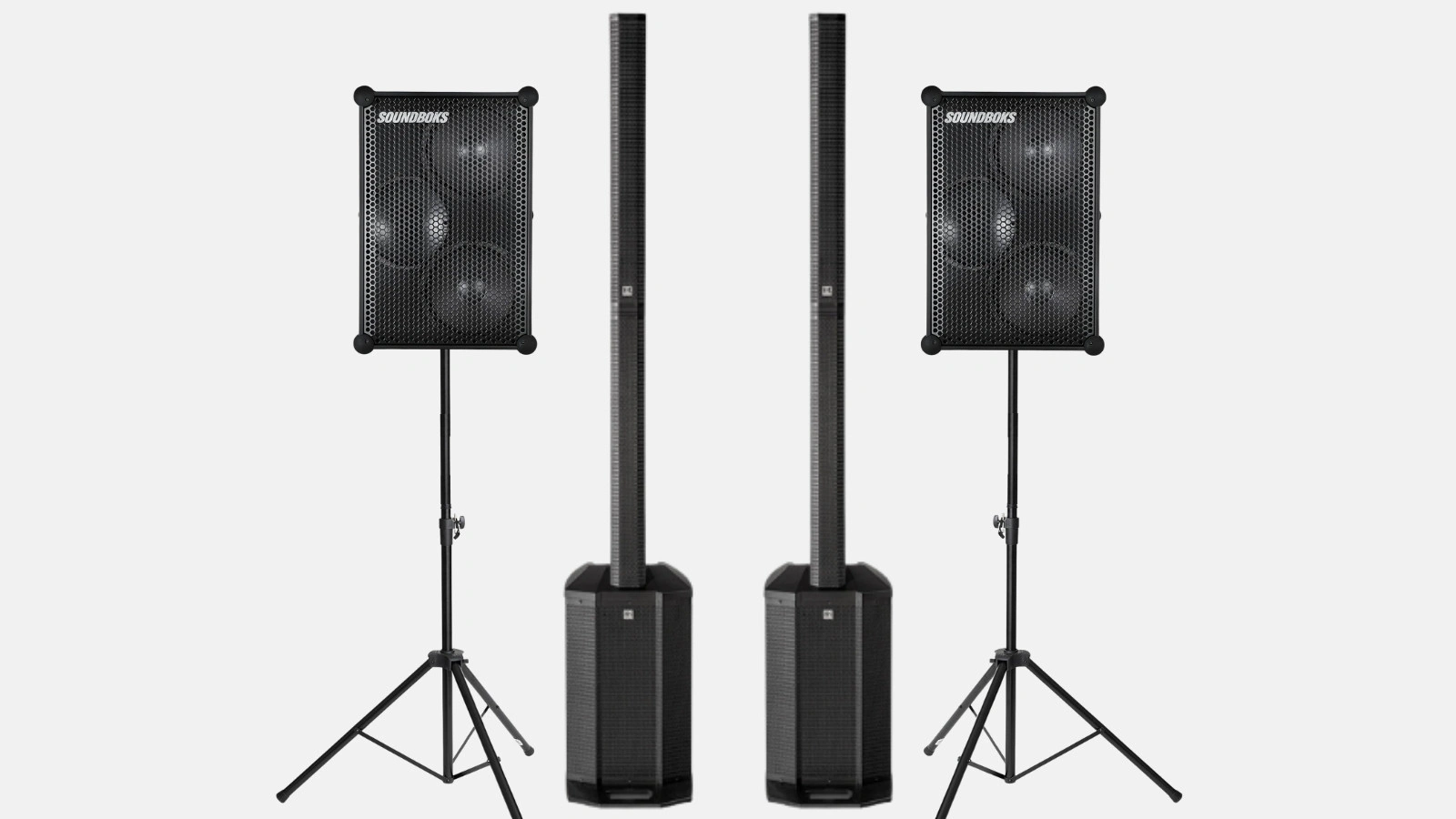
The Large sound package consists of two HK Audio Polar 12s and two battery-powered speakers. The first column acts as the main unit receiving the signal, the second column connects to the Mix-Out via XLR, and the two battery speakers are daisy-chained using a Y-XLR cable. Setup takes about 30 minutes and covers up to 250 people.
The Polar 12 consists of a bass module and several column elements that you stack from the top until they click into place. Then, connect the power and turn it on using the switch on the back of the bass module.
The two columns should be placed to the left and right in front of the audience, not behind them. Leave a hand's width of space between the column and the wall to prevent bass boom. All Polar 12 functions are explained in detail in the Medium sound package tutorial.
Place the two battery speakers on the provided stands and point them toward the back of the room. They serve as rear reinforcement, not as the main sound system.
The batteries come fully charged. At medium volume, they last about 40 hours; at full volume, 5 to 6 hours. How to change the battery and what the individual ports do is explained in the Soundboks tutorial.
One of the two Polar 12s is the main speaker. Only this one receives the signal from your phone; everything else connects to it.
Connect the second column to the Mix-Out of the main speaker using an XLR cable and plug it into the Line-In. This ensures both columns play the same signal.
Afterward, set the same input level on both columns, otherwise the sound stage will be unbalanced. Run XLR cables along the wall or secure them with tape; running them across the floor creates a tripping hazard.
Use the included Y-XLR cable to connect from the Mix-Out of the second Polar 12. Plug the single end into the output and the two other ends into the Line-In of the battery-powered speakers.
This connects four points to one source. The sound reaches everywhere at the same time because everything is connected via cables rather than wireless.
Plug the microphone into a combo input on the main speaker using an XLR or 6.35 mm jack cable. If you are using a wireless set, plug in the receiver, not the microphone itself.
Slowly increase the level and stand behind or to the side of the column while testing. Any microphone will eventually whistle if placed in front of the speaker. It is better to connect multiple sources to a mixer; the mixer tutorial shows you how.
| Device | Inputs | Outputs |
|---|---|---|
| HK Audio Polar 12 | 2 x combo XLR and 6.35 mm jack, RCA, Bluetooth | XLR mix-out to the next speaker |
| Soundboks | 2 x combo XLR and 6.35 mm jack, 3.5 mm jack, Bluetooth and TeamUp | 3.5 mm jack |
In this setup, the battery-powered speakers run via XLR, not wirelessly.
Four points consisting of two columns and two battery-powered speakers can support an event for up to about 250 people, with a comfortable sound level for around 200. The advantage lies not in the maximum volume, but in the distribution: it doesn't have to be painfully loud at the front for the sound to reach the back.
For a dance floor with bass you can feel in the floor, you should go for a PA system with its own subwoofer. You can find out which system fits which size in our sound system overview.
How do I set up the Large sound package?
How many guests is the Large sound package suitable for?
Why is there no sound coming from the rear speakers?
Can I connect a microphone to the Large sound package?
Check event equipment, book in 90 seconds, and choose pickup or delivery. Deposit-free and insured throughout Germany and Austria.

Wir haben dir eine Mail geschickt, bitte bestätige sie um den Rabattcode zu erhalten.