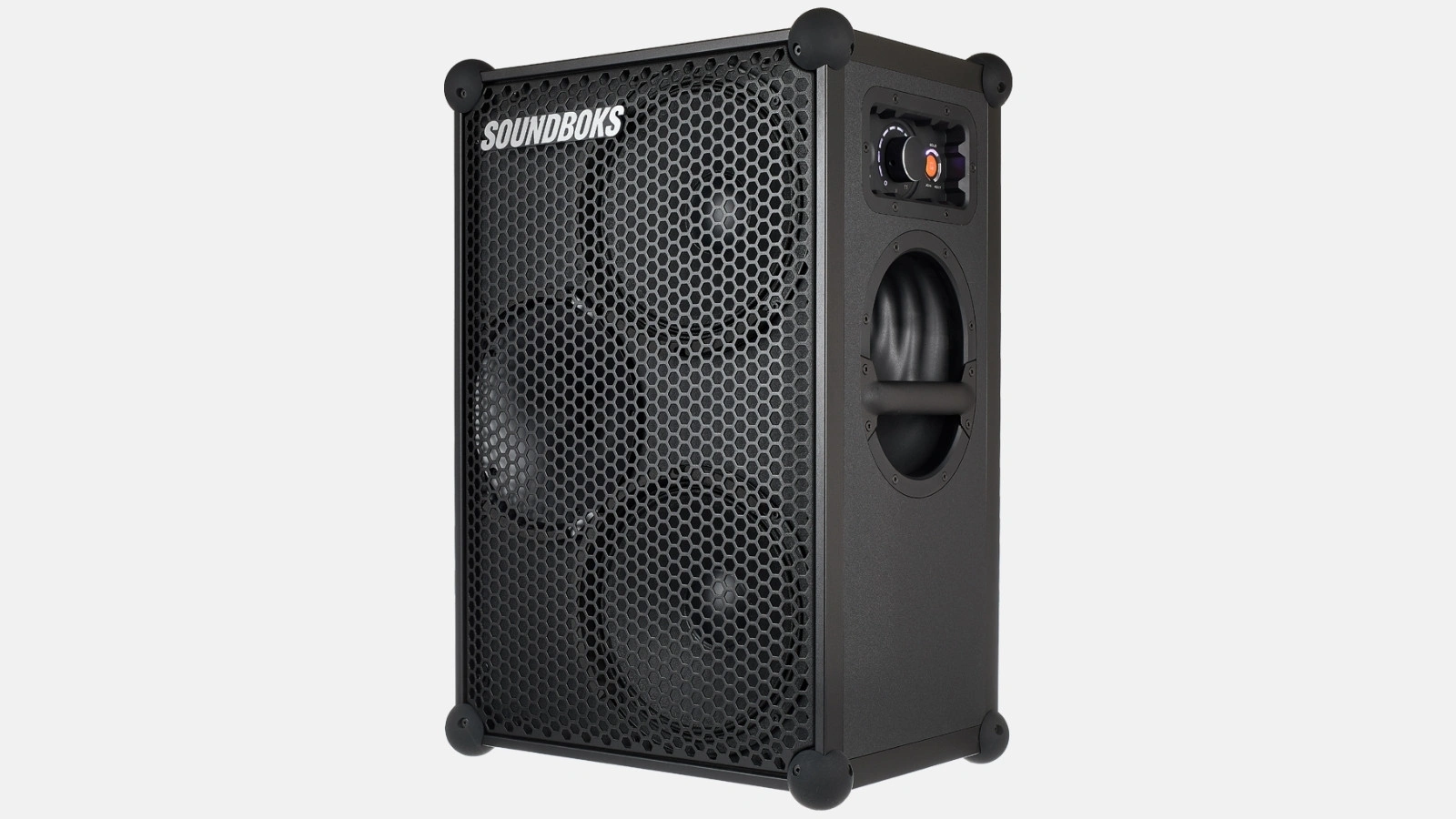
Instructions for the plug-and-play setup of our event equipment. Short video tutorials and step-by-step guides for... Show more making professional event technology so accessible and easy to understand that you can host a great event without any technical expertise.
To connect, turn on your Soundboks and select it in your phone's Bluetooth settings; there is no need for a pairing button. You can pair two speakers wirelessly using TeamUp: set one speaker to Host and the other to Join. Microphones plug into the combo inputs on the back. This guide shows every step in the video and in writing, along with the connections for all models and both reset procedures.
To turn it on, press the power button on the top control panel. An LED will indicate that the speaker is running. Set the volume to a medium level beforehand, otherwise the first song will start louder than expected.
Setup tip. Two speakers placed next to each other against the same wall sound fuller indoors than two speakers placed far apart on the left and right. The bass frequencies add up instead of getting lost in the room.
The Soundboks is automatically discoverable after you turn it on. You do not need to look for a pairing button on the device to connect your smartphone.
Bluetooth has a range of about 10 meters. Walls and crowds reduce this range, so avoid keeping your phone in a jacket pocket on the other side of the room. If you need more distance, connect the Soundboks to your playback device using an AUX cable. A TV or a laptop without Bluetooth can be connected the same way via the AUX input.
To pair, set one speaker to Host mode and all others to Join mode. The button for TeamUp mode is located right next to the power button. A Host speaker can connect to up to four additional speakers.
TeamUp uses SKAA technology and has an outdoor range of up to 50 meters, which is significantly further than Bluetooth. Soundboks 3, Soundboks 4, and Soundboks Go can be paired with each other, so the models don't have to be the same. For a garden party, two Soundboks speakers in TeamUp mode are usually enough. Because SKAA creates its own wireless network, the venue's Wi-Fi will not interfere with the connection.
If both speakers are set to Host, the second one will remain silent. Check this first if one speaker isn't playing.
You can connect two speakers via AUX cable using the 3.5mm output on the first speaker and the 3.5mm input on the second. This is the way to go if you want to play it safe or have multiple playback devices in your setup.
If you are using a mixing console, connect its master output to channels 1 and 2 of the Soundboks. Only then will you get the full stereo signal. A small mixer is also the cleanest solution if you need to run microphones, instruments, and music at the same time. A mixer also saves you from sudden volume jumps: you can control all sources in one place instead of adjusting each speaker individually. You don't need a mixer for two Soundboks speakers and one microphone, but it becomes the better solution once you have three or more sources.
The Soundboks 3 and Soundboks 4 have the same connection panel: two combo inputs for XLR and 6.35mm jack, one 3.5mm input, and one 3.5mm output. The manufacturer calls this panel the Pro Panel, and it is located on the back. The Soundboks Go does not have the Pro Panel; it only connects via Bluetooth and the AUX input.
All inputs on the Pro Panel run simultaneously, and the speaker mixes them together. Each channel on the Pro Panel has its own volume knob, which is why you can adjust the music and microphone separately. In most cases, the Pro Panel replaces the need for a small mixer.
| Connection | What you need it for | Which model |
|---|---|---|
| 3.5mm input (AUX In) | Phone, laptop, or tablet via cable | Soundboks 3, Soundboks 4, and Soundboks Go |
| 3.5mm output (AUX Out) | passing the signal to a second speaker | Soundboks 3 and Soundboks 4 |
| 2 x combo XLR and 6.35 mm jack | Microphone, wireless receiver, instrument, or mixer | Soundboks 3 and Soundboks 4; not available on the Go |
| USB-C with 10 watts | charge your phone while it plays music | Soundboks 4 only |
| Bluetooth | Wireless music, approx. 10-meter range | all models |
| TeamUp | up to four additional speakers wirelessly, up to approx. 50 meters | all models |
Connections based on manufacturer specifications, verified against Renty's inventory in September 2026.
The microphone plugs into one of the two combo inputs, whether using an XLR connector or a 6.35 mm jack. For a wireless microphone, you don't plug it in directly; you plug in its receiver.
You don't adjust bass and treble on the speaker itself, but rather in the Soundboks app for iOS and Android. Download the app, turn on Bluetooth, and connect it to your Soundboks; you can then access sound profiles and the equalizer on your phone.
The Soundboks runs on a swappable lithium iron phosphate battery, the BATTERYBOKS. At medium volume, it lasts about 40 hours; at full volume, it lasts 5 to 6 hours. It takes about 3.5 hours to fully charge.
You can swap the battery while the speaker is running without the music cutting out. With a second battery, you can keep the music playing indefinitely while the first one charges. One battery is usually enough for an entire evening at room volume.
There are two different types of resets. The battery reset helps if the speaker won't turn on. The connection reset helps if TeamUp or Bluetooth are not pairing correctly.
Before resetting anything, go through this list from top to bottom. The issue is usually resolved by the second point.
If none of these help, reset the connections first and then the battery. If you still can't get it working, you can reach us daily from 8:00 AM to 10:00 PM via phone and WhatsApp.
The steps above apply to the Soundboks 3 and Soundboks 4. Both reach 126 decibels and are IP65-rated against dust and water splashes. The Soundboks 4 lasts an hour longer at full volume and includes a USB-C port. The Soundboks Go is smaller and lacks a Pro Panel, so you cannot connect an XLR microphone to it. However, it can still be paired with both larger models.
To find out which of the two large models is right for you, check our comparison of the Soundboks 3 and Soundboks 4. If you booked two speakers with stands and a microphone, our Outdoor Package tutorial will guide you through the complete setup. To see which size fits your number of guests, check our sound system overview.
How do I connect the Soundboks to my phone?
How do I pair two Soundboks speakers together?
What ports does the Soundboks have?
How do I reset the Soundboks if it won't turn on?
Check event equipment, book in 90 seconds, and choose pickup or delivery. Deposit-free and insured throughout Germany and Austria.

Wir haben dir eine Mail geschickt, bitte bestätige sie um den Rabattcode zu erhalten.