When gaming on a projector screen, input lag is what matters, not resolution. You won't notice anything under 20 milliseconds, controls feel sluggish from 70ms onwards, and the gaming mode in the menu almost always provides the biggest boost. A gaming projector with a solid gaming mode and Full HD will beat any 4K projector without one. 4K at 120 Hz sounds impressive on a spec sheet, but it is only utilized in a few titles on current game consoles.

At a glance
When gaming on a projector screen, input lag is what matters, not resolution. You won't notice anything under 20 milliseconds, controls feel sluggish from 70ms onwards, and the gaming mode in the menu almost always provides the biggest boost. A gaming projector with a solid gaming mode and Full HD will beat any 4K projector without one. 4K at 120 Hz sounds impressive on a spec sheet, but it is only utilized in a few titles on current game consoles.
A racing game on a three-meter-wide screen is a different experience than on a TV. A gaming projector offers a screen size no living room TV can match, turning a two-player session into an evening for eight. The only question is whether the controls can keep up.
Anyone looking for a gaming projector almost exclusively ends up on shop pages, manufacturer sites, and review portals that earn money from sales. Renty rents out event technology and does not sell devices. That is why you won't find a product list here, but rather the questions that come first: Which values really determine the gaming experience, and which are just there for the spec sheet?
Yes, with one caveat. A gaming projector is usually the same device used for home cinema, and home cinema projectors process incoming images more than monitors do: scaling, image enhancement, color adjustment. Each of these steps takes time, and this time sits between your controller and the image on the screen. As a result, many projectors have a latency of 50 to 100 milliseconds out of the box.
That doesn't matter at all for movies, but it is the only value that counts when gaming. The good news: almost every projector from the last few years has a gaming mode that disables exactly these processing steps. One menu item, one checkbox, and 80 milliseconds become 25. Low input lag is therefore not achieved through expensive technology, but through the right settings, which cost nothing.
Gaming modes have different names depending on the manufacturer: Game Mode, Low Latency, or simply Gaming. They all mean the same thing, and the switch is almost always located in the image menu rather than the system settings. Shops also sort projectors into categories like home cinema, business, and gaming, but technically, these categories are often separated only by a preset.
The comparison to a television remains clear. A gaming TV is faster in terms of input lag and brighter, but it lacks the scale. The gaming projector wins on screen size and the number of players who can join in. For competitive gaming, a monitor remains the better choice; for an evening with multiple gamers, the projector screen is hard to beat.
Input lag is the time between pressing a button on the controller and the visible reaction on the screen. It is measured in milliseconds. When this latency becomes bothersome depends on the game and the genre. A strategy game is more forgiving than a shooter.
| Input lag | What you notice | Suitable for |
|---|---|---|
| 🟢 under 20 ms | nothing | everything, including fast shooters |
| 🟡 20 to 40 ms | slightly noticeable in very fast-paced games | racing games, sports, party games |
| 🟠 40 to 70 ms | controls feel soft and delayed | strategy, turn-based, platformers |
| 🔴 over 70 ms | aiming and jumping are inaccurate | not recommended, turn on gaming mode |
The middle range is perfectly adequate for a casual game night.
Response time and input lag are not the same thing. Many comparisons cite a figure of 5 to 8 milliseconds. This is the pixel response time from the monitor world, describing how quickly a pixel changes color. It says nothing about how long it takes for your button press to appear on screen. If a data sheet lists only this number and no input lag, the crucial value is missing—and the most important information is rarely at the top of the brochure anyway.
Low input lag is therefore the most important selection criterion, more important than any resolution specification. Manufacturers usually state this value for gaming mode at Full HD, less often for 4K, and in independent tests, both figures regularly diverge.
This combination is the selling point of the season, and it is usable on a console less often than the data sheets suggest. The PlayStation 5 and Xbox Series X are technically capable of 4K at 120 Hz, but only a small fraction of games actually offer this mode. Where it does exist, many titles lower the resolution to achieve it, meaning they render internally at a lower resolution and upscale the image.
| Game console | Outputs | Useful for gaming projectors |
|---|---|---|
| 🎮 PlayStation 5 | up to 4K HDR, 120 Hz in a few titles | 4K projector with gaming mode, HDMI 2.1 only for 120 Hz |
| 🎮 Xbox Series X | up to 4K HDR, 120 Hz in a few titles | same as PlayStation 5 |
| 🎮 Xbox Series S | mostly 1440p, upscaled | Full HD is sufficient; 4K offers little benefit here |
| 🕹️ Nintendo Switch | 1080p at 60 Hz via the dock | Full HD, refresh rate is secondary |
| 🕹️ Nintendo Switch 2 | up to 4K in TV mode, 120 Hz at lower resolution | 4K projector is worth it, 120 Hz only with HDMI 2.1 |
| 💻 Gaming PC | freely selectable up to 4K and beyond | a high refresh rate really pays off here |
Decide on the console first, then choose the projector accordingly.
The time saved by 120 Hz is real, but smaller than advertised. It is often claimed that 120 Hz halves the lag. This is only true for a portion of it: at 60 Hz, a single frame is displayed for about 16.7 milliseconds, and at 120 Hz for about 8.3. The difference is therefore about 8 milliseconds; the processing time within the device remains the same, so 30 milliseconds becomes 22 rather than 15. Specs up to 240 Hz also appear in data sheets, but these only apply at significantly reduced resolutions and are irrelevant for a console.
In practical terms, this means: A gaming projector with a solid gaming mode and Full HD at 60 Hz will deliver better results for a gaming night than a 4K projector without a gaming mode. Only when both are right is it worth considering the higher resolution. On a projection surface with a width of three meters or more, 4K resolution visibly improves image quality, but it is the second step, not the first.
There are three types in circulation, and for gamers, they differ primarily in one respect: how quickly they build an image. For gaming performance, however, the design is less decisive than the gaming mode.
DLP technology is the fastest. DLP projectors switch pixels using a mirror chip and therefore provide the shortest response times, making them the most common choice for gaming. The downside: some viewers perceive short flashes of color during fast movements, known as the rainbow effect. If that bothers you, you are better off with a 3LCD device, which projects colors simultaneously rather than sequentially. LCoS projectors lead in image quality, but are significantly higher in price.
The light source determines the lifespan. Lamps last between 2,000 and 25,000 hours depending on the model, losing brightness over time. An LED projector reaches around 20,000 hours, a laser projector 20,000 to 30,000, and both start at full power immediately without a cooling phase. This is why 4K laser projectors are popular for home cinemas. For a rental unit, this point is secondary, but for your own gaming projector, it is the biggest ongoing cost factor.
The screen diagonal is the real reason for choosing a projector. A screen width of 2.5 to 3 meters—roughly 110 to 135 inches—is sensible. Data sheets often list screen diagonals up to 300 inches, but that is the technical limit, not a practical size. A larger area is possible, but it costs brightness because the same amount of light is spread over a larger projection surface. If you lack the space for the projection distance, a short-throw projector can achieve the same image size from a much shorter distance.
Via HDMI, which applies to all current game consoles. The PlayStation and Xbox have the output directly on the device, while the Nintendo Switch requires the dock. One cable transmits both image and sound, so everything is ready for playback on the screen.
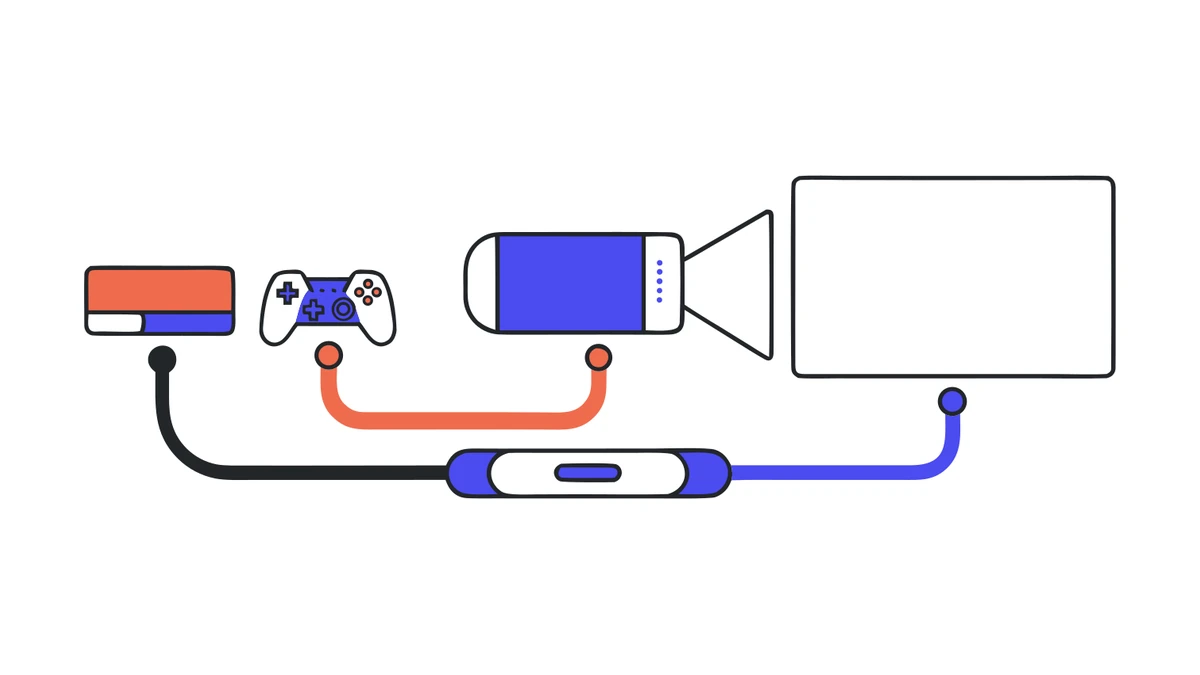
You only need HDMI 2.1 for 4K at 120 Hz. For 4K at 60 Hz, HDMI 2.0 is sufficient, and practically all projectors from recent years have this. If your gaming projector doesn't accept a 120 Hz signal anyway, an expensive 2.1 cable won't change anything. Instead, make sure the connection supports HDCP; otherwise, the screen will remain black for copy-protected content.
Two features are worth checking in the menu. ALLM automatically switches on gaming mode as soon as a game console is detected, so you don't have to remember to do it. VRR compensates for fluctuations in the frame rate and prevents stuttering if the game briefly fails to maintain 60 frames per second. Neither is a must, but both save time and frustration.
With cable runs over five meters, which can quickly add up in the garden, the signal becomes unstable. In that case, an active cable or a signal booster in the middle helps. A second cable as a backup belongs in every kit, as a faulty HDMI cable is the most common reason for an evening being cut short.
Practical insights
If something goes wrong during a gaming night, it is almost never the projector's fault. Two causes come up again and again: the gaming mode was never turned on because no one checked the image menu, or the cable run from the seating area to the screen turned out longer than planned. Both can be checked in five minutes before the first guests arrive.
When gaming, the same calculation applies as with movies: the required light output depends on the image size and how bright the environment is. For a darkened room, 2,000 ANSI lumens are sufficient; for the garden after dark, around 2,500; and if you want to start at dusk, you need about 3,000 ANSI lumens for a three-meter-wide image.
Pay attention to the unit, not just the number. Reputable manufacturers specify ANSI lumens or, since the ISO 21118 standard, ISO lumens; both are measured using a defined procedure. If the data sheet only says "lumens" or "LED lumens," the number is often a multiple of the true value. In practice, a projector with 3,000 ANSI lumens and one with 3,000 "raw" lumens are worlds apart.
A bright room in the afternoon is the most difficult case because ambient light raises the black level. In dark levels, you then lose exactly the details that matter in action scenes. How to calculate the appropriate light output for your screen width and time of day can be found in the guide to <a href="#">outdoor projectors</a>.
A gaming projector doesn't replace the TV; it complements it. For your daily half-hour in the evening, the TV remains the more practical choice because it is ready instantly and works even in a bright room. The projector shows its strength when several players get together and the image size makes the difference. For most people, renting a device for the occasion is therefore more worthwhile than having a second screen in the living room.
Recommendations vary depending on your budget. If you host a gaming night two or three times a year, you are clearly better off with a rental. If you game at home every week, buying is the more sensible option, and then it is really worth taking a close look at input lag and the light source. An evening with your own favorite games on a three-meter-wide screen tells you more about the decision than any table.
Three things come into play that don't matter indoors. First, the time: before it gets dark, the image is pale, and in June, it doesn't get truly dark until around 10 p.m. Second, the sound, because outdoors you lack the walls that reflect the sound. And third, the power, because there is rarely a power outlet exactly where the screen needs to be.
For sound, cables are better than wireless. A Bluetooth speaker is more flexible but introduces a delay that is doubly annoying when gaming: you hear the shot before or after it happens on screen. Two active speakers connected by cable next to the screen solve the problem completely. We show you how to connect them properly in our <a href="#">guide to sound in the garden cinema</a>.
For power, an IP44-rated extension cord or a power station is sufficient. A projector in this class usually draws 200 to 400 watts during operation, and the console plus two active speakers add a similar amount. This is not critical for a household circuit breaker, but it is the decisive value for a power station because it determines the runtime. You can calculate what your setup specifically needs in the <a href="#">power consumption calculator</a>.
In the end, weather protection is more important than the wattage: the projector belongs under a roof, and the power strip belongs on a table rather than on the grass. If you want to continue the evening with a movie afterward, you can find the complete process in the <a href="#">guide to garden cinema</a>.
If you check off these points, you'll be playing within twenty minutes of setup. After that, no menu setting will significantly change the performance; the rest is just a matter of game selection. And that’s easier to do on a three-meter-wide screen anyway.
How much input lag is acceptable for a gaming projector?
Can you connect a PS5 or Xbox to a projector?
Is HDMI 2.1 really necessary for the PS5?
Does a 120 Hz projector really cut the delay in half?
How many ANSI lumens does a projector need for gaming?
Projector or TV for gaming?
Check event equipment, book in 90 seconds, and choose pickup or delivery. Deposit-free and insured throughout Germany and Austria.

Wir haben dir eine Mail geschickt, bitte bestätige sie um den Rabattcode zu erhalten.