Instructions for the plug-and-play setup of our event equipment. Short video tutorials and step-by-step guides for... Show more making professional event technology so accessible and easy to understand that you can host a great event without any technical expertise.
Stands first, then mount the speakers with two people, plug in, and switch on. Connect your phone to only one speaker; pair the second one wirelessly or via XLR cable. Setup takes about 10 minutes and covers a party of up to 80 people.
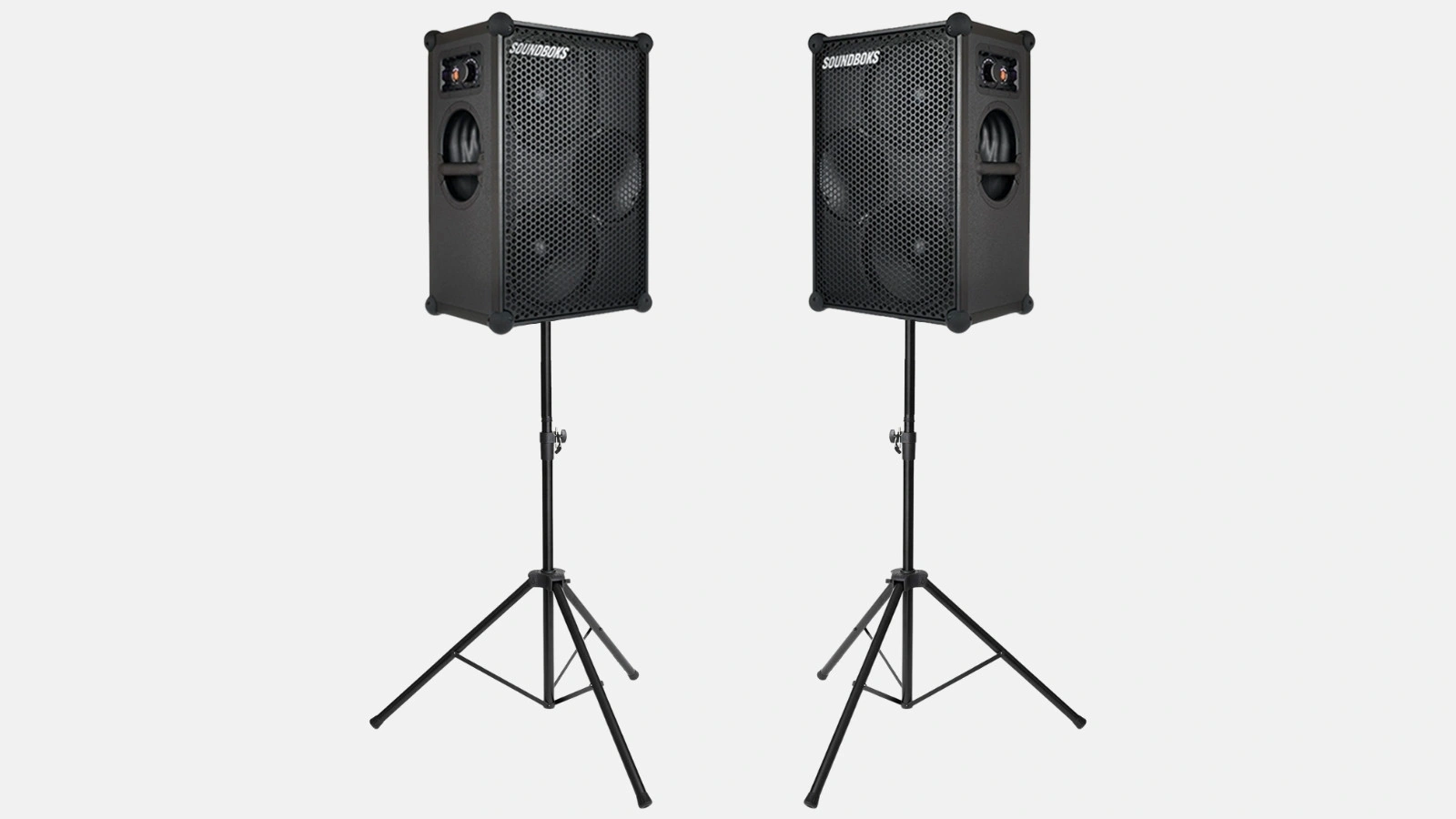
The set consists of two active 12-inch speakers, two stands, and the cables. Active means the power amplifier is built into the speaker. You don't need a separate amp, just one power outlet per speaker.
| What | How many | What for |
|---|---|---|
| 12-inch active speakers | 2 units | for sound reinforcement; the set usually includes the HK Audio Lunar 112 XA |
| Speaker stands | 2 units | bring the sound to head height, which is the biggest factor for the result |
| Power cables | one for each speaker | each speaker needs its own power outlet |
| Connection cables | 1 unit | for the second speaker if you don't want to pair them wirelessly |
Small sound package contents, as of September 2026.
The values in this guide are for the Lunar 112 XA: 600 watts continuous power, 1,200 watts peak, and up to 130 decibels. If an equivalent model is in the set, the steps remain the same. Only the numbers on the label will differ.
Set up both stands and lock them before touching a speaker. A 12-inch top weighs about 20 kilograms; you can't just lift that with one hand.
Both speakers belong on the same side of the room. Placing speakers behind the guests will only make it impossible for anyone to hold a conversation.
The speaker will appear in your phone's Bluetooth settings under its model name. Tap it and wait until it says connected. You don't need to look for a separate pairing button.
Connect only one of the two speakers to your phone. The second speaker receives its signal from the first, either wirelessly or via cable. Adjust the volume on the speaker itself, and keep your phone volume at about 80 percent.
There are two ways to do this, and both work. Wireless is faster, while a cable connection is more stable, especially in crowded rooms.
The connection panel features a combo input that accepts both XLR and 6.35 mm jack plugs. It can be switched between microphone and line level—this is the most important switch on the entire panel.
Perform the soundcheck before the event and stand behind or to the side of the speaker while doing so. Any microphone will eventually feed back if placed in front of the speaker.
The speaker comes with four preset sound profiles. Choosing the right profile is more effective than tweaking any knobs.
| Profile | When to use it |
|---|---|
| Music | Parties, background music, DJing. The standard for almost everything |
| Voice | Speeches, hosting, presentations. Reduces bass and makes voices clearer |
| Monitor | Speaker is placed on its side wedge and angled back toward the stage |
| Ext. Sub | only if a subwoofer is added; the speaker will then offload the low frequencies |
Sound profiles of the Lunar 112 XA. They have similar names on equivalent models.
If vocals are getting lost in the mix, it is better to cut the bass rather than boost the highs. This results in a smoother sound that avoids harshness.
If you get stuck, you can reach us daily from 8:00 AM to 10:00 PM via phone and WhatsApp.
Two 12-inch tops on stands can handle a party of up to about 80 people. This is sufficient for birthdays, club events, and small company parties, both indoors and outdoors.
Which set fits which number of guests can be found in the overview of complete packages.
How long does it take to set up the Small sound package?
How many people is the Small sound package suitable for?
How do I connect the two speakers to each other?
Do I need a power outlet for the Small sound package?
Check event equipment, book in 90 seconds, and choose pickup or delivery. Deposit-free and insured throughout Germany and Austria.

Wir haben dir eine Mail geschickt, bitte bestätige sie um den Rabattcode zu erhalten.