Phone
Mon - Sun 8:00 AM - 10:00 PM
No deposit required
Insured
Personal
Instructions

Power station Video-Bedienungsanleitung

Instructions for the plug-and-play setup of our event equipment. Short video tutorials and step-by-step guides for... Show more making professional event technology so accessible and easy to understand that you can host a great event without any technical expertise.

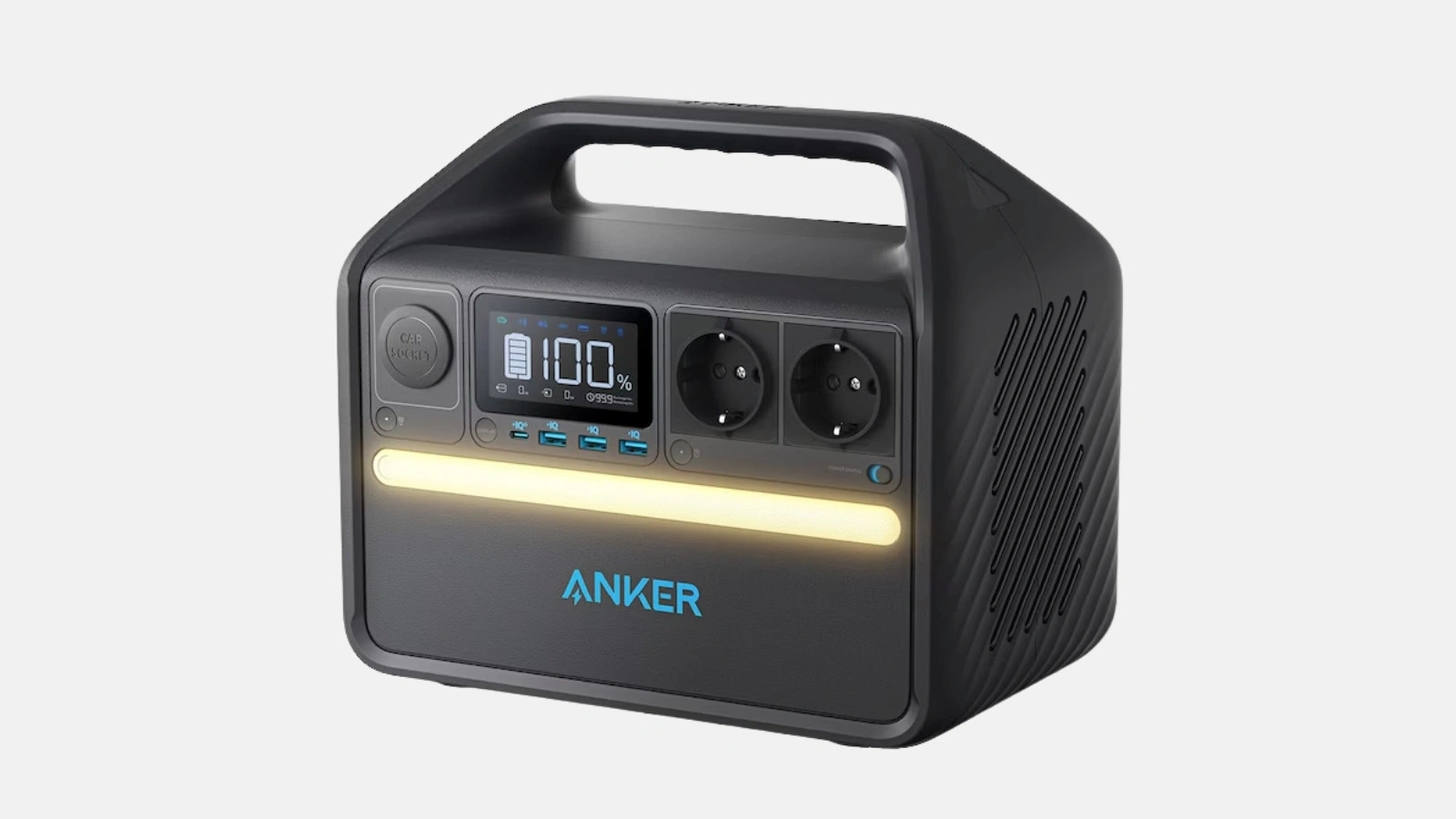
This guide provides a step-by-step walkthrough on how to set up and optimize your Anker power station. You can find additional details in the video tutorial:

1. Setting up the Anker power station (00:00)

  • Unboxing & Overview
    Carefully remove the power station from the packaging. Check that all cables and adapters are included.
  • Choosing a location
    Place the portable power station in a dry, well-ventilated area to prevent overheating.

Tip: Always ensure ports are clean when plugging in or unplugging cables, and keep them free of dust and moisture.

2. Using the Anker power station (00:32)

  • Connecting devices
    With versatile ports (USB, AC outlet & 12V), you can easily charge smartphones, laptops, or small appliances.
  • Camping & Outdoors
    The Anker 535 is perfect for camping trips or festivals. Charge tablets, cameras, or Bluetooth speakers (e.g., Soundboks) directly via the mobile power station.
  • Event technology
    A power station is also helpful for events or when renting event equipment, as it provides power in remote locations.

Tip: Always keep the power limit in mind. Check beforehand which devices you want to connect, for example, whether a kettle or refrigerator draws too much energy.

3. Power-saving mode (01:17)

  • Auto-off function
    Most power stations have a mode that automatically turns them off when no devices are connected.
  • Activating & Deactivating
    You can enable this mode in the menu (or by pressing a button) to extend operating time and save valuable energy.
  • Perfect for longer outdoor adventures
    This ensures you won't suddenly run out of power while camping for several days.

Tip: Check your specific model's user manual for details on how to use or adjust the power-saving mode.

4. Anker power station LED light (01:26)

  • Integrated light source
    The Anker 535 features an LED light that you can turn on and off as needed.
  • Operation
    Use the LED button on the front to activate the light.

‍

Microphone FAQ

Häufige Fragen zu Power station

How long does the power station last during normal use?

Can I use the power station as an emergency power supply at home?

Do I need technical knowledge to operate the power bank?

How long does it take to charge?

Ready to rock your event?

Check event equipment, book in 90 seconds, and choose pickup or delivery. Deposit-free and insured throughout Germany and Austria.

Geschenk

Jetzt 10% Rabatt sichern

Jederzeit abmeldbar. Ausgenommen sind bereits reduzierte Aktionspakete.

Fast geschafft!

Wir haben dir eine Mail geschickt, bitte bestätige sie um den Rabattcode zu erhalten.

Dein Rabattcode