Phone
Mon - Sun 8:00 AM - 10:00 PM
No deposit required
Insured
Personal
Instructions

Wireless microphone Video-Bedienungsanleitung

Instructions for the plug-and-play setup of our event equipment. Short video tutorials and step-by-step guides for... Show more making professional event technology so accessible and easy to understand that you can host a great event without any technical expertise.

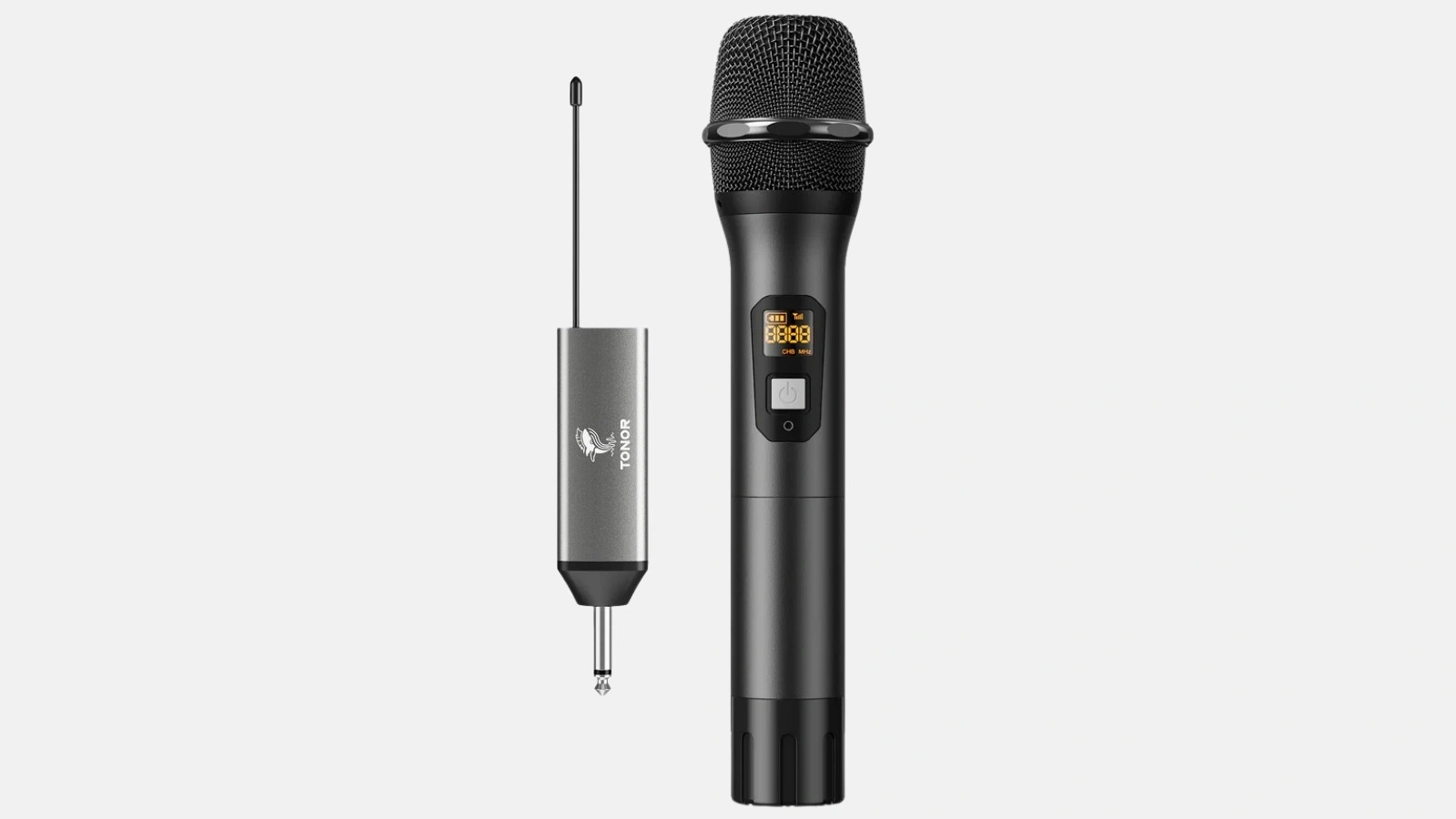
In this guide, you will learn step-by-step how to set up your Tonor TW630 UHF wireless microphone, connect the receiver, and link the microphone to a SOUNDBOKS or other Bluetooth speakers. You can find additional information in the video tutorial:

1. Wireless microphone setup (00:00)

  • Switching on & selecting a channel
    Press the power button until the display lights up. Some models allow you to select the desired radio channel to avoid interference. Usually, the correct one is already selected.

Tip: If you need more microphones or other accessories for your next event, you can easily rent everything from Renty or another event technology provider.

2. Connecting the receiver (00:30)

  • Ensuring the signal path
    The receiver must be connected to the mixer or directly to a sound system and also switched on. If you do not want to use a mixer, a jack connection (6.3 mm) on an active speaker often works.
  • Connection test
    Switch on the microphone and receiver. Speak briefly into the mic to test if the signal strength is correct and no interference is audible.

Tip: If you want to connect your wireless microphone to a mixer, make sure you select the appropriate input channel on the mixer and adjust the gain so that no noise or distortion occurs.

3. Connecting the wireless microphone to a SOUNDBOKS (00:45)

  • Using an adapter cable
    The SOUNDBOKS has a 6.3 mm jack input on the back of the unit. Plug in the receiver.
  • Adjusting the volume
    Set the volume on the SOUNDBOKS so that the microphone can be heard clearly.
  • Additional settings
    If you want to use multiple audio sources in combination (microphone + background music via Bluetooth), you can easily adjust the volume levels of the individual audio sources in the Soundboks app.

Tip: If you want to pair multiple speakers via Bluetooth, note that the microphone signal is usually only connected to the first receiver speaker. For larger events, an HK Audio Polar or other PA system may be useful.

‍

Microphone FAQ

Häufige Fragen zu Wireless microphone

Can I connect the microphone to a speaker via Bluetooth?

How far can I move away from the receiver with the wireless microphone?

How long does the wireless microphone battery last?

What should I do if there is interference?

Ready to rock your event?

Check event equipment, book in 90 seconds, and choose pickup or delivery. Deposit-free and insured throughout Germany and Austria.

Geschenk

Jetzt 10% Rabatt sichern

Jederzeit abmeldbar. Ausgenommen sind bereits reduzierte Aktionspakete.

Fast geschafft!

Wir haben dir eine Mail geschickt, bitte bestätige sie um den Rabattcode zu erhalten.

Dein Rabattcode